

GoPlay Minecraft Survival Server
OnlineTip Java Edition: Multiplayer → Direct Connection for the address.
From discounts to real gaming talk, join the GoPlay Global community today.
Join Discord
Minecraft free server is live now
Plugins · economy · community — same GoPlay vibe you know
Tip Java Edition: Multiplayer → Direct Connection for the address.
Open Minecraft Java, use Multiplayer, then Direct Connection or Add Server with the address from our server card above.
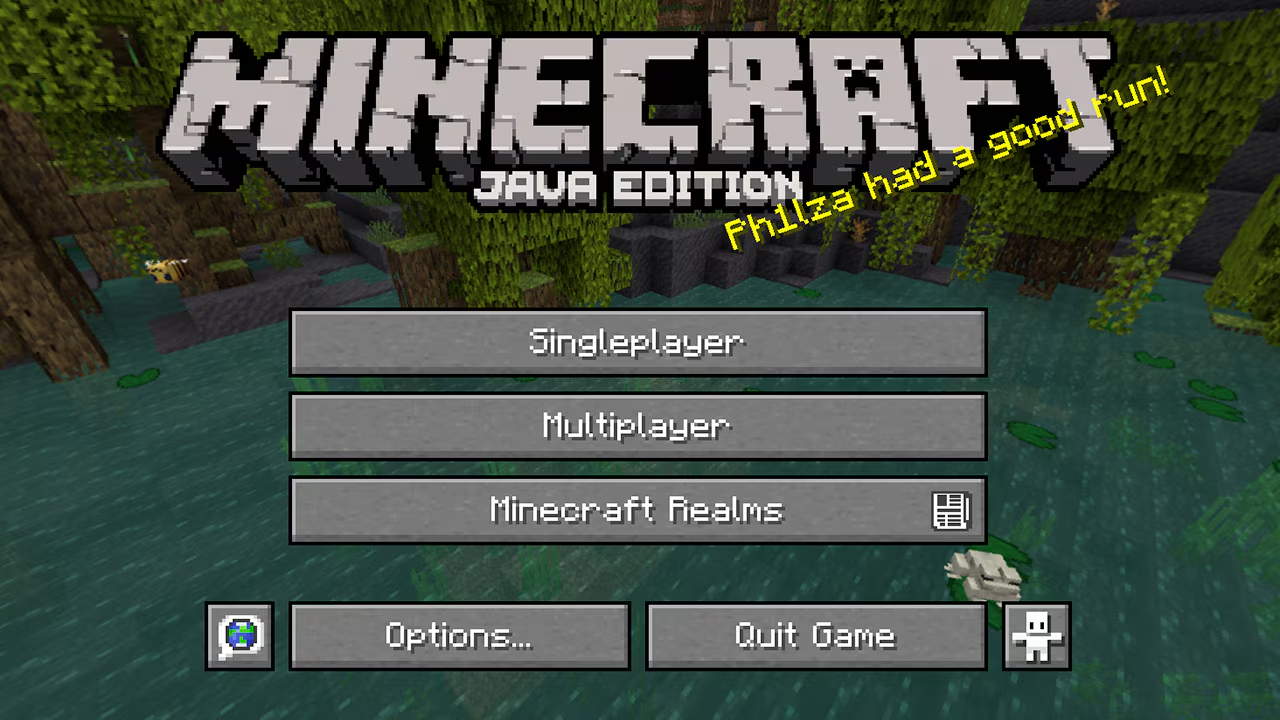
Launch Minecraft: Java Edition and from the main menu click Multiplayer (not only the launcher — you need to be on the in-game title screen).
Minecraft may show warnings about playing online. Read them, then click Proceed to open the multiplayer screen.
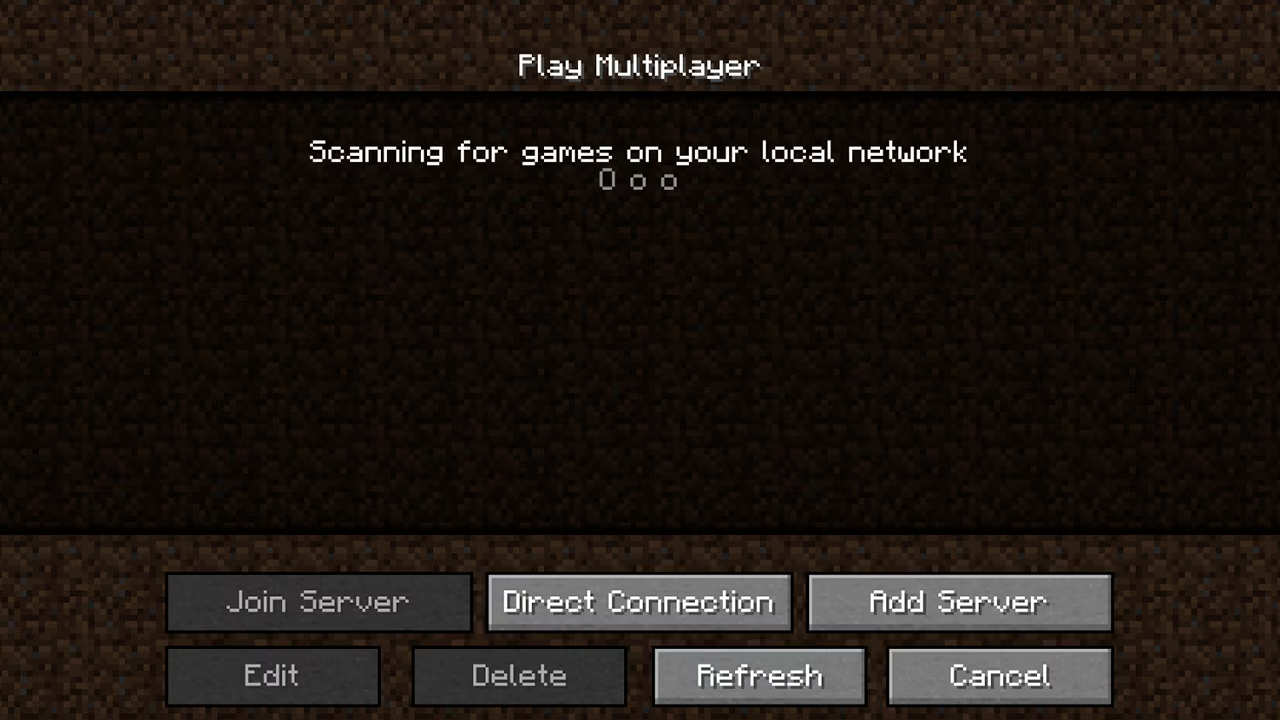
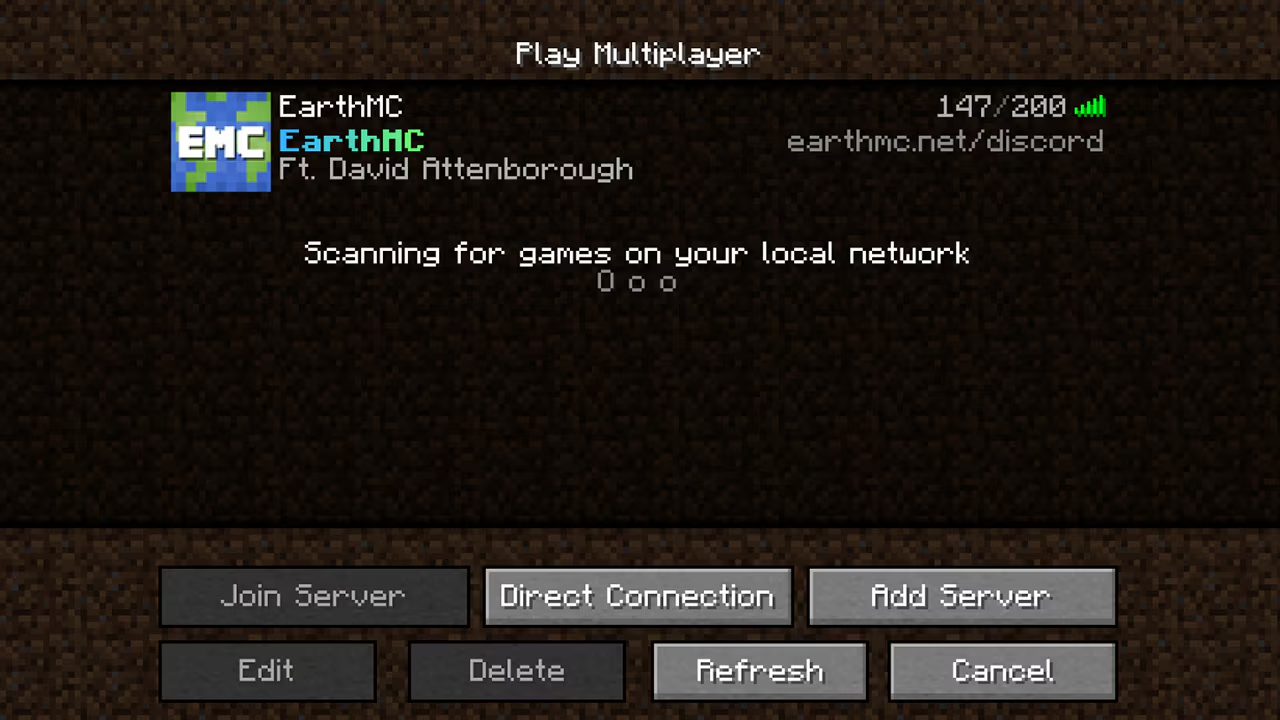
You’ll see “Scanning for games on your local network.” LAN worlds on your Wi‑Fi can appear here. For our server, use Direct Connection or Add Server at the bottom — not LAN.
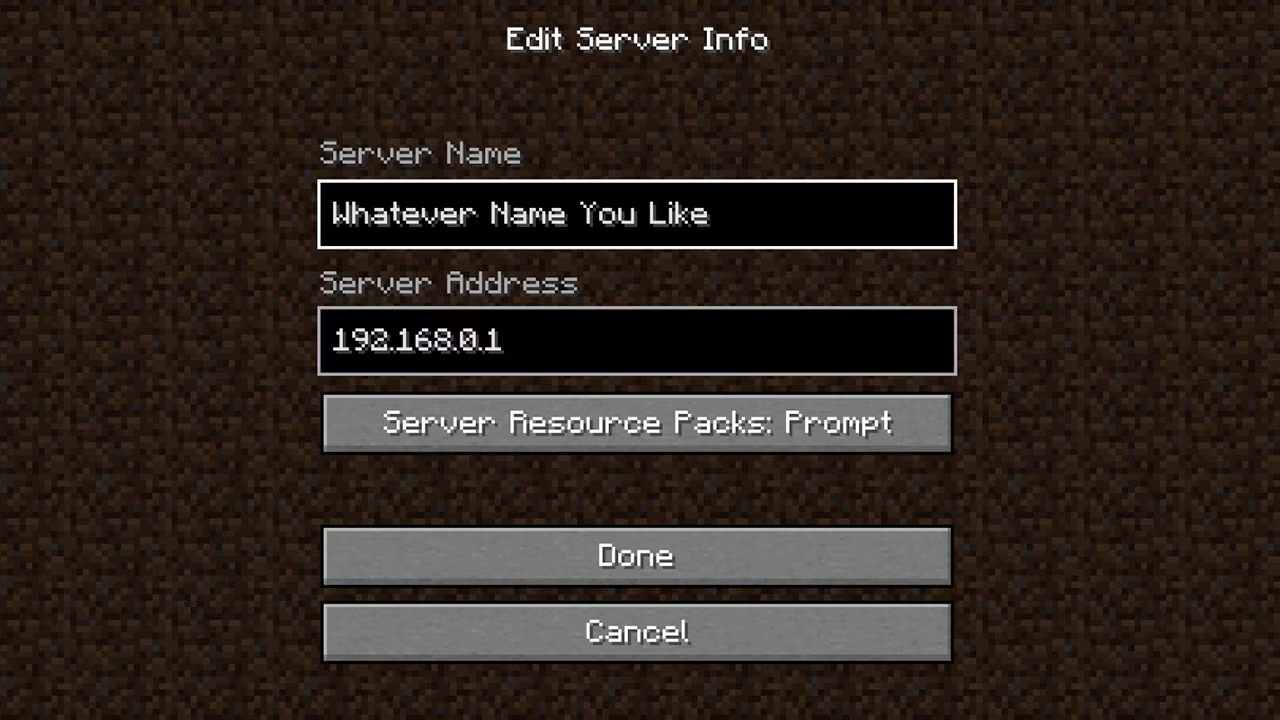
Copy the server address from our page (e.g. minecraft.goplay.pk:30445 or an IP). Direct Connection: paste the address and connect once. Add Server: set a name + address — it saves to your list; select it and click Join Server.
You can also search for our server list name after refreshing the list, if your client shows a search box.